Best Booklet Software in 2026: 11 Tools, Tested
The best booklet software depends on what you start with. If you have a topic or a document and want the whole booklet made for you, an AI booklet generator such as BookletAI does the writing and layout. If you have the content and want to design it, Canva has the deepest template library and prints booklets for you. If you already have a finished PDF, Flipsnack publishes it online and BookletFree re-orders it for home printing, free.
Full disclosure: we make BookletAI. We took every other tool as far as it would go without an account, wrote down where each one stopped us, and list our own product's limits next to everyone else's.
What is booklet software? Booklet software helps you produce a multi-page, folded publication such as a handbook, program, catalog or guide. Some tools write and design the pages with AI, some give you templates to fill in, and some only re-order a finished PDF so the printed sheets fold in the right sequence.
Quick Comparison
Here is every booklet software tool in this guide, grouped by what it actually does for you.
| Tool & best for | Type | Price | |
|---|---|---|---|
| 1 | BookletAIWhole booklet from a topic or file | AI generator | 300 free credits; from $14.90/mo |
| 2 | VismeCharts, infographics, short booklets | AI generator | Free; Starter $29/mo |
| 3 | FlipHTML5AI booklet published as a flipbook | AI generator | 500 free points; AI Plus $13/mo (yearly) |
| 4 | GammaPrompt-to-document, mainly slides | AI generator | Free; Plus $9/mo (yearly) |
| 5 | Veeso AIPrint layouts up to 20 pages | AI generator | Free daily credits; Pro $20/mo |
| 6 | CanvaTemplates plus print-and-ship | Design editor | Free; Pro $18/mo |
| 7 | Adobe ExpressTemplates and image AI | Design editor | Free; Premium $9.99/mo |
| 8 | Microsoft WordText-heavy booklets in Word | Design editor | Part of Microsoft 365 |
| 9 | FlipsnackPDF to interactive flipbook | Flipbook / imposition | Starter $16/mo (yearly) |
| 10 | BookletFreeFree online imposition | Flipbook / imposition | Free |
| 11 | BookletCreatorDesktop imposition, one-time fee | Flipbook / imposition | Free to 16 pages; $19.95 once |
How We Tested
Every tool that takes a prompt got the same brief: a 12-page employee onboarding booklet for a small coffee shop. We went as far as each one allowed without creating an account, read its pricing page and FAQ, and noted exactly where it stopped us. For the two desktop options, Word and BookletCreator, we relied on their official guides. Five questions decided what we wrote:
Prices are from each company's own site in November 2026 and change often. Where we could not get past a login, we say so and quote the company's own description.
Which Kind of Booklet Software Do You Need?
No single tool is best at all three jobs below. Pick your column first, then the tool.
You give it a topic or a file. It writes, illustrates and lays out the pages.
1. BookletAI: Best for a Complete, Print-Ready Booklet From a Topic or File
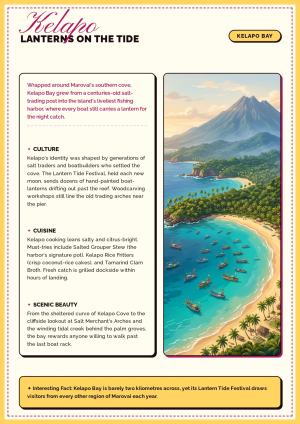
BookletAI is the tool we build, so read this entry with that in mind. You chat with an AI agent: type a topic, paste your text, drop in a URL, or upload images, a PDF or a Word file. From a topic it searches the web and reads three to five sources first. It then proposes an outline, offers six visual styles or a ready-made template, and writes, illustrates and lays out every page.
It handles real print sizes: A4 and US Letter in portrait or landscape, A5, Half Letter, A6, a 17x24 cm book format, and A4 or Letter tri-folds. The PDF export has a Digital preset and a Print preset that adds 3 mm bleed and crop marks for a print shop. You can also download an offline HTML flipbook or share a link. One page can be regenerated without touching the rest, and manual edits are free.
Pros
- Generates the content, images and layout, not just a template
- No fixed page limit; long manuals keep consistent chapters and numbering
- Six page sizes plus tri-folds, with a bleed-and-crop-marks PDF preset
- Works from a topic, your own text, a URL, a PDF or a Word file
Cons
- The 300 free credits cover about seven generated pages (38 credits a page), and free downloads carry a small watermark
- It does not impose pages for home printing; pair it with BookletFree if you need that
- No printing or shipping; you take the PDF to a printer
Price: 300 credits on sign-up, no card. Monthly plans $29.90, $49.90 and $79.90; yearly plans work out to $14.90, $24.90 and $34.90 a month; a $139 credit pack lasts 12 months. See plans.
Best for: Anyone who has an idea, a document or a pile of notes and wants a finished, multi-page booklet without doing the layout.
2. Visme: Best for Data-Heavy Business Booklets
Visme's AI booklet maker works through a chatbot. You describe the booklet or upload a PDF, a .doc file or a URL, pick a visual style, and it generates what Visme calls a first draft you finish in its editor. The editor is the strength: 20-plus chart types, maps, data widgets, icons and print guides with bleed marks.
Its own FAQ sets clear limits: the AI designer generates a maximum of 10 pages, cannot reproduce your text verbatim, and cannot follow your specifications for color or design style. It also says it uses ChatGPT and Unsplash under the hood. Typing a topic on its landing page sent us straight to a sign-up wall.
Pros
- Excellent charts and data widgets for reports and business booklets
- Accepts PDF, .doc or a URL as source content
- Print guides and bleed marks in the editor
Cons
- AI output capped at 10 pages, according to its FAQ
- Rewrites rather than keeps your wording; no control over colors or style in the AI step
- Sign-up required before any generation; free projects show the Visme logo
Price: Basic free (10 AI credits; each generation uses 3). Starter $29 a month or $12.25 a month billed yearly; Business $59 a month or $24.75 billed yearly.
Best for: Business booklets built around charts and data, up to about 10 pages.
3. FlipHTML5 AI Booklet Generator: Best for Interactive Online Booklets
FlipHTML5 adds an AI generator to its flipbook platform. You type a topic or upload a PDF or Word file, edit the outline it proposes, choose a layout and one of 36 color schemes, and it builds the pages. The result is published as an online flipbook with page-turn effects, embedded video and reader analytics; its FAQ is explicit that the output 'isn't a flat PDF'.
Two things to know. Its FAQ says the free plan's 500 AI points cover about one booklet, and PDF download and watermark removal come with the paid AI Plus plan. And the example booklets on its page open as preset layouts filled with placeholder text, which suggests the AI pours your content into a fixed set of designs. Clicking Create asked us to log in.
Pros
- Outline you can edit before pages are designed
- Flipbook publishing, analytics and embedded media built in
- Free plan to try one booklet
Cons
- PDF download and watermark removal require AI Plus
- Designed for screens first; no print specs mentioned
- Layouts come from a preset set
Price: Free plan with 500 AI points a month. AI Plus $13 a month billed yearly ($159 a year) with 80,000 points.
Best for: Booklets that will live online: training guides, newsletters and handbooks shared by link.
4. Gamma: Best if You Also Make Presentations
Gamma is a presentation tool first, but its Document format works for booklets. Its help center walks through it: describe the book, review the outline, and the agent builds a cover, a contents page and chapter openers, with a footer carrying the title and page numbers. Set Page setup to Letter or A4 for clean PDF pages. You can also import a Word file, PDF or PowerPoint and ask it to keep your wording.
Gamma is candid that it 'isn't purpose-built as an ebook tool'. Page numbers and branded headers and footers need the Pro plan, the free plan creates up to 10 pages per prompt, and we found no mention of bleed or crop marks.
Pros
- Strong outline-first generation with chat editing
- Imports DOCX, PDF and PPTX and can keep your wording
- Low price; also available inside ChatGPT and Claude
Cons
- Not built for print booklets; no bleed or crop marks documented
- Free plan: 10 pages per prompt with Gamma branding
- Page numbers require Pro
Price: Free with 400 credits. Plus $9 a month and Pro $18 a month, both billed yearly.
Best for: People who already use Gamma for slides and want a quick, mostly digital booklet.
5. Veeso AI: Best for Short, Print-Focused Booklets
Veeso is a general AI design tool with a booklet generator among its posters, menus and certificates. Its page says it builds a multi-page layout from your description or from an uploaded Word, PDF or Markdown file, in A4, Letter or half-fold sizes, and applies bleed, trim and page order for saddle-stitch printing automatically.
The pricing page sets the ceiling: multi-page generation goes up to 20 pages and is listed as a Pro feature. Free exports carry a Veeso badge. Its workspace redirected us to a login page, so we could not check output quality.
Pros
- Print setup (bleed, trim, page order) handled for you, according to Veeso
- Upload Word, PDF or Markdown
- Generous free daily credits to experiment
Cons
- Multi-page generation capped at 20 pages and listed under Pro
- Free exports carry a badge
- Booklets are one feature in a general design tool
Price: Free with 100 credits a day plus 300 on sign-up. Pro $20 a month or $16.67 billed yearly.
Best for: Short programs, zines and catalogs headed to a printer.
AI booklet generators compared
| Feature | BookletAI | Visme | FlipHTML5 | Gamma | Veeso AI |
|---|---|---|---|---|---|
| Pages per generation | No fixed limit | 10 max | Not stated | 10 free / 100 Plus | 20 max (Pro) |
| Upload PDF or Word | |||||
| Works from your own text | Uses your text | Rewrites it | Not stated | Keeps it on request | Not stated |
| Print sizes | A4, Letter, A5, A6 + | US Letter templates | Screen first | Letter or A4 | A4, Letter, half-fold |
| Bleed and crop marks | Bleed marks | Not stated | Claimed | ||
| PDF on free plan | Watermarked | Visme logo | With branding | With badge |
Visme, FlipHTML5, Gamma and Veeso all ask you to sign up before generating anything, so their rows come from each company's own pages, pricing and FAQs.
You bring the words. The tool gives you templates and an editor.
6. Canva: Best Template Library and Built-In Printing
Canva's booklet template gallery is the deepest here, with most designs between 8 and 10 pages and some over 40. You replace the text and photos page by page. Each template has its own Print with Canva option: a saddle-stitched booklet of 8 to 24 pages, in multiples of four, was $19 for one copy when we checked.
One tip from a print shop's tutorial we watched: search 'magazine' rather than 'brochure', because brochure results are mostly single-page tri-folds. Canva AI says it can create designs from a description, but it sits behind a login and we could not confirm it builds a full multi-page booklet.
Pros
- Huge template library and a familiar drag-and-drop editor
- Print and ship booklets directly from the template
- Free plan with PDF export
Cons
- You write and place every page yourself
- Creating a blank booklet or using Canva AI requires an account
- Many of the best templates are Pro
Price: Free plan. Pro $18 a month (half price for the first three months on a monthly plan when we checked). Printing priced per order.
Best for: People who already have their content and want full design control, with printing in the same place.
7. Adobe Express: Best Budget Option With Strong Image AI
Adobe Express is free to start and its booklet maker opens on a US Letter canvas. The AI tools on its booklet page are image-focused: generate an image, generate a template from a text prompt, add text effects, and insert or remove objects. Writing and arranging the pages is still on you. The editor loaded a login wall after about 30 seconds.
Pros
- Generative fill, background removal and other Adobe image tools
- Premium is the cheapest paid plan in this list
- Free plan, no card required
Cons
- AI helps with images and single templates, not a full booklet
- Account required to open the editor
Price: Free with 345,000+ templates across all formats. Premium $9.99 a month with 250 generative credits.
Best for: Small teams who want on-brand booklets and Adobe-quality image editing on a budget.
8. Microsoft Word: Best if You Already Have It
Word has a booklet mode many people never find. In Layout, open the Page Setup dialog and change Multiple pages to Book fold; Word switches to landscape and pairs the pages for folding. Add a gutter of about half an inch so text doesn't disappear into the fold, set A4 or Letter, and print on both sides, flipping on the short edge. We followed Microsoft's guide and a tutorial video rather than testing it ourselves.
Pros
- Handles page order for folding automatically
- Fine typographic control for text-heavy booklets
- Nothing new to learn if you live in Word
Cons
- No design help: layout, images and style are all manual
- Duplex printing by hand takes trial and error
Price: Included with Microsoft 365; no separate price.
Best for: Manuals, programs and handouts that are mostly text.
You already have a finished PDF. You want it online or ready to fold.
9. Flipsnack: Best for Publishing a PDF Booklet Online
Flipsnack turns a finished PDF into an online booklet with page-flip animation, then lets you add videos, shopping buttons and lead forms and track views, clicks and time on page. It has an AI helper that drafts and refines copy, but the core job is publishing, not creating. Its own FAQ points out that if you only need a print layout, Adobe Acrobat's Print > Booklet option will do.
Pros
- Polished flipbooks with lead forms and reader analytics
- Private sharing and custom domains on higher plans
Cons
- You need a designed PDF first
- Free plan output carries a watermark
- Priced for marketing teams
Price: Starter $16 a month billed yearly (5 flipbooks, 100 pages each); Pro $38; Business $85.
Best for: Marketing teams sharing catalogs and brochures online and measuring who reads them.
10. BookletFree: Best Free Booklet Creator for Home Printing
BookletFree does one job: it re-orders a PDF so the printed sheets fold into a booklet. We uploaded an 8-page A4 test file, kept the defaults and had a preview in about a minute: four A4 sides, each holding two A5 pages in folding order, starting with pages 8 and 1. Paper sizes run from A0 to A9, B sizes, Letter, Legal and custom, with 2, 4, 8 or 16 pages per sheet. It says files never leave your browser, and we saw no watermark.
Pros
- Free, no sign-up, three steps
- Wide range of paper sizes and pages-per-sheet options
- Processes the file locally
Cons
- No design or content tools; your PDF must already be laid out
Price: Free.
Best for: Anyone printing a finished booklet PDF on a home or office printer.
11. BookletCreator: Best Offline Booklet Creator
BookletCreator is a small desktop app for Mac and Windows with the same purpose as BookletFree. It adds combining several PDFs into one booklet, page ranges and password-protected files. The free version handles booklets up to 16 pages; the full version is a one-time purchase. We read its documentation but did not install it.
Pros
- Works offline
- One-time price, no subscription
- Combines multiple PDFs
Cons
- Install required
- Imposition only, no design
Price: Free up to 16 pages; $19.95 one-time for unlimited pages.
Best for: People who print booklets regularly and prefer a desktop app.
Best Program for Booklets: How to Choose
Skip the overall ranking and match the tool to the booklet you picture:
Printing at home? Remember that a folded booklet needs a page count divisible by four:
Frequently Asked Questions
What is the best free booklet software?
For designing, Canva and Adobe Express have the most generous free plans. For printing a finished PDF at home, BookletFree is completely free and needs no account. AI generators all offer free credits (BookletAI gives 300 on sign-up, about seven pages), but full downloads without a watermark need a paid plan.
Can AI make a whole booklet from a topic?
Yes, with limits that vary a lot. BookletAI generates complete booklets with no fixed page cap. Visme stops at 10 pages, Veeso at 20 on its Pro plan, and Gamma creates 10 pages per prompt on its free plan. Expect to review facts and tweak a few pages either way.
What is the best booklet software for PC?
Every tool here except BookletCreator runs in a browser, so it works on any PC. If you want something installed, Microsoft Word has a built-in Book fold layout and BookletCreator handles imposition offline on Windows and Mac.
How do I turn a PDF into a printable booklet?
If the PDF is already designed, run it through an imposition tool such as BookletFree, then print double-sided, flipping on the short edge, fold and staple. If you want the PDF redesigned as a booklet, use an AI tool such as BookletAI's PDF to booklet, which rebuilds the content into new pages.
Why does a booklet need a page count divisible by four?
Each folded sheet carries four pages: two on the front, two on the back. A saddle-stitched booklet therefore runs 8, 12, 16, 20 pages and so on, which is why Canva prints booklets in multiples of four. If your content falls short, add a notes page or move the back cover.
Final Verdict
There is no single best booklet software, only the best one for your starting point. Canva remains the strongest choice for designing a booklet yourself, Flipsnack for publishing one online, and BookletFree for printing a finished PDF at home. Among AI booklet generators, Visme suits short, chart-heavy business booklets and Gamma suits people who already make slides. If you want a complete, print-ready booklet from a topic or a document, without a 10- or 20-page ceiling, BookletAI is built for exactly that. Try the AI booklet generator and see the first pages before you pay, or read how to design a booklet if you prefer to do it by hand.
Have a topic, notes or a PDF? Describe your booklet and get every page written, illustrated and laid out, ready to print.
Start Free